संपादकीय टिप्पणी (09/2026 अपडेट): यह post real-time pipeline का वह रूप बताता है जो v0.25 से पहले था। Beadbox अब WebSocket server नहीं चलाता — app कोई network listener खोलता ही नहीं। Change events अब sidecar के stderr पर kkrpc से आते हैं। आपके लिए कुछ नहीं बदला: CLI writes अब भी बिना refresh किए UI में दिखते हैं। सिर्फ़ mechanism बदला है। इस post में दिए गए update-speed के आँकड़े भी वापस लिए जाते हैं: change कितनी जल्दी दिखता है यह platform पर निर्भर करता है, और अब हम कोई संख्या नहीं बताते। संपादकीय टिप्पणी (09/2026 अपडेट): यह post real-time pipeline का वह रूप बताता है जो v0.25 से पहले था। Beadbox अब WebSocket server नहीं चलाता — app कोई network listener खोलता ही नहीं। Change events अब sidecar के stderr पर kkrpc से आते हैं। आपके लिए कुछ नहीं बदला: CLI writes अब भी बिना refresh किए UI में दिखते हैं। सिर्फ़ mechanism बदला है। Jo developer Claude Code mein "add user authentication" type karta hai, use har baar alag result milta hai. Shayad JWT. Shayad session cookies. Shayad poora OAuth2 flow refresh tokens aur PKCE ke saath. Agent ko nahi pata aap kya chahte hain kyunki aapne use bataya nahi. Aapne direction di, destination nahi.
Jo developers mujhe Claude Code se consistent, shippable output dete dikhte hain, unki ek aadat common hai: wo agent ko kaam dene se pehle spec likhte hain. Koi novel nahi. Koi Jira ticket teen lines ke context ke saath nahi. Ek concrete document jo define karta hai ki "done" kaisa dikhta hai, isse pehle ki koi ek line code likhe.
Yeh koi nayi wisdom nahi hai. Spec-first development AI se decades purani hai. Lekin agents ke saath, spec skip karne ki cost zyada hai aur likhe ki benefit badi hai. Ek human developer beech implementation mein ruk ke pooch sakta hai "ruko, tumhara matlab password auth tha ya SSO?" Ek agent chupchap ek choose karega aur aage badh jaayega. Jab tak aapko pata chale, usne galat cheez bana di hai, aur aapne 20 minute aise code review karne mein lagaye jo discard karna hai.
Yeh article us spec-driven lifecycle ko walk through karta hai jo main Claude Code ke saath roz use karta hoon: aise specs kaise likhein jinke against agents execute kar sakein, wo plan-before-code checkpoint jo galat-fehmiyon ko jaldi pakadta hai, aur ek verification protocol jo "it compiles" se zyada rigorous hai.
"Bas bana do" agents ke saath kyun fail hota hai
Failure mode ke baare mein specific hote hain. Jab aap Claude Code ko vague instruction dete hain, teen cheezein galat hoti hain:
Silent assumptions. Agent aapki spec ki har gap ko apni assumptions se bharta hai. Kabhi wo assumptions reasonable hote hain. Kabhi nahi. Aapko tab tak nahi pata chalega jab tak output nahi padh lete. Vague instructions ke saath, aap output utni carefully padhte hain jitni mehnat spec likhne mein lagti.
Non-reproducible results. Ek hi vague prompt do baar run karo aur do alag implementations milenge. Sirf alag variable names ya formatting nahi. Alag architectural decisions. Alag libraries. Alag error handling strategies. Agar output reproduce nahi kar sakte, toh reliable process nahi bana sakte.
Review bottleneck ban jaata hai. Jab agent saare decisions leta hai, aapko saare decisions verify karne padte hain. 400-line diff jismein har choice samajh aati hai, 5 minute lagta hai review karne mein. 400-line diff jismein agent ne database schema, API shape, error codes, aur validation logic choose ki hai, 30 minute lagta hai kyunki aap implementation se spec reconstruct kar rahe ho.
Fix better prompts nahi hai. Wo decisions jo matter karte hain unhe ek document mein front-load karna hai jiske against agent execute kar sake.
Spec-driven lifecycle
Workflow ki paanch phases hain. Har ek ki clear entry condition aur clear exit condition hai.
Phase 1: Brainstorm. Aap problem space explore karte hain. Constraints kya hain? Kaunse approaches hain? Pehle kya try kiya? Yahan aap loud thinking karte hain, akele ya Claude Code ke saath conversational mode mein. Exit condition: aapke paas preferred approach hai aur tradeoffs samajh mein aaye hain.
Phase 2: Review. Aap approach ko pressure-test karte hain. Kya galat ho sakta hai? Kaunse edge cases hain? Kya yeh codebase mein kisi cheez se conflict karta hai? Agar multiple agents ke saath kaam kar rahe hain, toh yahan architecture agent ya second opinion valuable hai. Exit condition: aap confident hain ki approach solid hai.
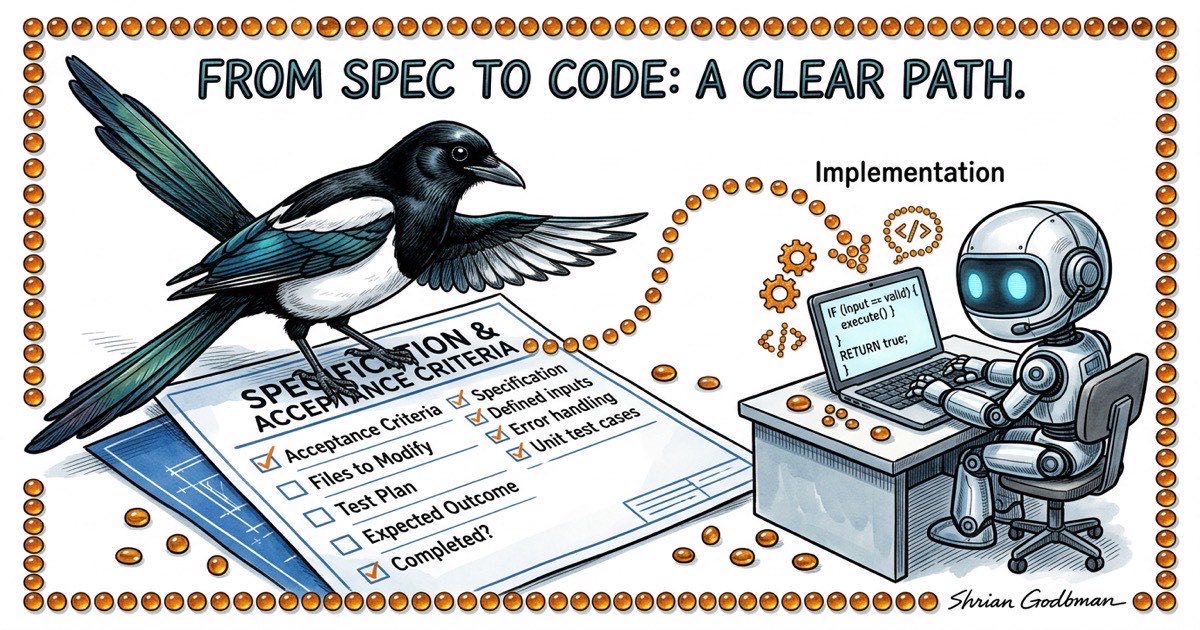
Phase 3: Spec. Aap likhte hain jo decide kiya. Problem statement, proposed approach, modify karne wali files, mechanically verifiable acceptance criteria, aur test plan. Yeh contract hai. Exit condition: koi bhi (human ya agent) yeh spec padh ke exactly jaan sake ki kya banana hai aur verify kaise karna hai.
Phase 4: Implement. Agent spec ke against execute karta hai. Vague idea ke against nahi. Concrete document ke against jismein testable criteria hain. Exit condition: agent kehta hai done ho gaya aur verification evidence post kiya hai.
Phase 5: Verify. Aap (ya QA agent) confirm karte hain ki implementation spec se match karti hai. "Sahi lag raha hai" nahi, balki "kya har acceptance criterion satisfy hota hai." Exit condition: har criterion checked hai, aur jo fail hue wo Phase 4 mein wapas jaate hain.
Key insight: phases 1-3 sasti hain. Medium-sized feature ke liye 10-20 minute lagti hain. Phase 4 utna time leta hai jitna implementation chahiye. Phase 5 mein 5-10 minute lagte hain. Phases 1-3 skip karna 10-20 minute nahi bachata. Iska kharch hai galat direction mein gaye kaam ko review, debug, aur redo karne ka time.
Ek achhi agent spec kaisi dikhti hai
Yahan ek real spec template hai. User story nahi. Product requirements doc nahi. Ek working document jo agent ko exactly batata hai kya banana hai.
## Problem
The filter bar resets when switching workspaces. Users lose their
filter state and have to re-apply filters every time they switch.

## Approach
Persist filter state per-workspace in localStorage. Key the stored
state by workspace database path so filters don't bleed across
workspaces.

## Files to Modify
- lib/local-storage.ts: Add getWorkspaceFilters / setWorkspaceFilters
- components/filter-bar.tsx: Read initial state from localStorage,
  write on every change
- hooks/use-workspace.ts: Trigger filter restore on workspace switch

## Acceptance Criteria
1. Select workspace A, set filters to status=open + type=bug
2. Switch to workspace B. Filters reset to defaults.
3. Switch back to workspace A. Filters restore to status=open + type=bug.
4. Close the browser tab, reopen. Filters for the active workspace
   are still applied.
5. bd list --status=open --type=bug output matches the filtered table.

## Out of Scope
- Server-side filter persistence
- Filter presets / saved filter combinations
- URL-based filter state (query params)

## Test Plan
- Unit test: getWorkspaceFilters returns stored value for matching
  workspace path
- Unit test: setWorkspaceFilters writes correct key format
- Manual test: steps 1-5 from acceptance criteria above
Dhyan do ki yeh spec kya contain karti hai aur kya nahi. Yeh nahi batati ki localStorage kaise kaam karta hai. Claude Code ko pata hai. Yeh justify nahi karti ki humne localStorage kyun choose kiya URL params ki jagah. Wo brainstorm phase mein hua. Yeh har wo file list karti hai jo agent ko touch karni chahiye, matlab agar agent is list ke bahar files modify karne lage, toh red flag hai. Isme out-of-scope section hai, jo agent ko gold plating se rokta hai.
Acceptance criteria sabse important part hain. Har ek concrete action hai observable outcome ke saath. "Filters persist hone chahiye" nahi. Wo ambiguous hai. "Workspace A pe switch karo, verify karo ki filters status=open + type=bug hain" testable hai. Agent isko execute kar sakta hai. QA reviewer verify kar sakta hai.
Plan-before-code pattern
Yahan ek protocol hai jo zyada-tar implementation mistakes ko code banne se pehle pakadta hai: agent se maango ki wo kuch bhi likhne se pehle apna implementation plan post kare.
Practice mein, yeh task pe structured comment jaisa dikhta hai. Agent koi file kholne se pehle, wo exactly likhta hai ki wo kya karne wala hai.
PLAN: Persist filter state per-workspace using localStorage.

1. Add workspace-scoped storage helpers to lib/local-storage.ts:
   - getWorkspaceFilters(dbPath: string): FilterState | null
   - setWorkspaceFilters(dbPath: string, filters: FilterState): void
   - Key format: "beadbox:filters:{dbPath}"

2. Update components/filter-bar.tsx:
   - On mount, read stored filters for current workspace
   - On every filter change, write to localStorage
   - Accept databasePath as prop (currently not passed)

3. Update hooks/use-workspace.ts:
   - On workspace switch, emit event that filter-bar listens for
   - Filter-bar reads new workspace's stored filters on event

4. Threading databasePath:
   - filter-bar needs databasePath from the workspace context
   - Will add it to the WorkspaceProvider context value

Files: lib/local-storage.ts, components/filter-bar.tsx,
       hooks/use-workspace.ts, components/workspace-provider.tsx

Test: Unit tests for storage helpers, manual test of all 5
acceptance criteria.
Agent ko yeh produce karne mein lagbhag 30 second lagte hain. Aapko padhne mein lagbhag 2 minute. Aur un 2 minutes mein, aap aise problems pakad sakte hain jo implementation ke baad fix karne mein 20 minute lagenge:
- Kya agent spec ke bahar files touch kar raha hai? (workspace-provider.tsx add karna spec mein nahi tha. Yeh theek hai ya scope creep?)
- Kya approach make sense karta hai? (Workspace switches ke liye event emitter overengineered ho sakta hai. Simpler prop change kaam kar sakta hai.)
- Kya steps missing hain? (Stale localStorage entries clean up karne ka kya jab workspace remove ho?)
Plan ek checkpoint hai. Agar sahi lagta hai, agent ko aage badhne do. Agar galat lagta hai, plan correct karo. Dono cases mein, 2 minute lage 20 ki jagah.