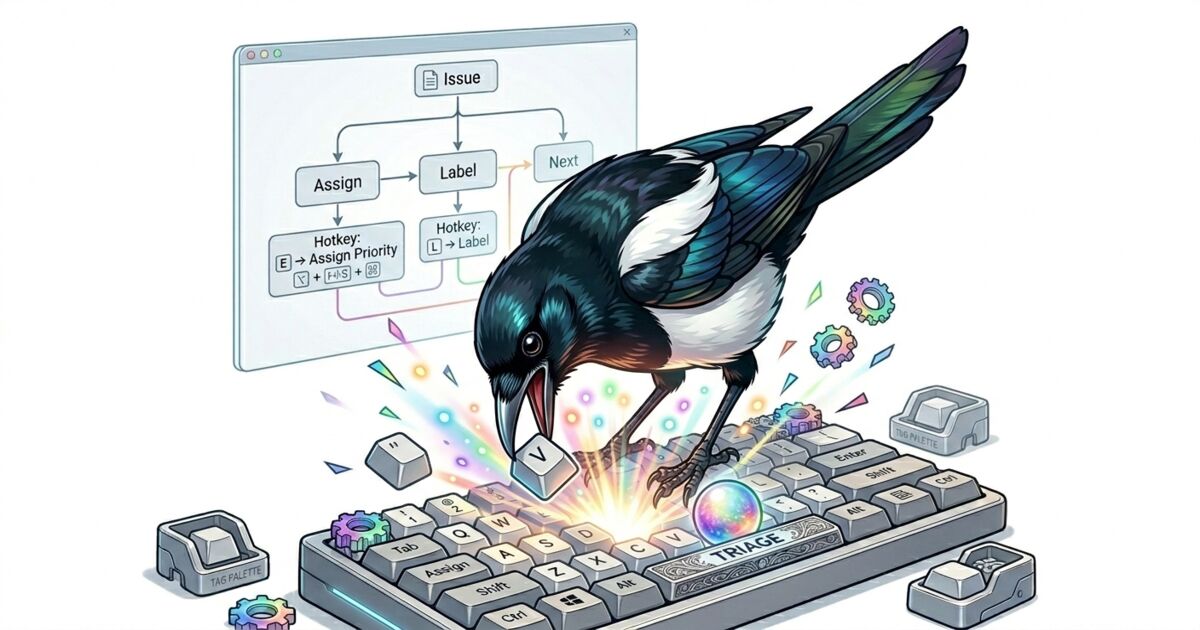
संपादकीय टिप्पणी (09/2026 अपडेट): यह post real-time pipeline का वह रूप बताता है जो v0.25 से पहले था। Beadbox अब WebSocket server नहीं चलाता — app कोई network listener खोलता ही नहीं। Change events अब sidecar के stderr पर kkrpc से आते हैं। आपके लिए कुछ नहीं बदला: CLI writes अब भी बिना refresh किए UI में दिखते हैं। सिर्फ़ mechanism बदला है। इस post में दिए गए update-speed के आँकड़े भी वापस लिए जाते हैं: change कितनी जल्दी दिखता है यह platform पर निर्भर करता है, और अब हम कोई संख्या नहीं बताते। संपादकीय टिप्पणी (09/2026 अपडेट): यह post real-time pipeline का वह रूप बताता है जो v0.25 से पहले था। Beadbox अब WebSocket server नहीं चलाता — app कोई network listener खोलता ही नहीं। Change events अब sidecar के stderr पर kkrpc से आते हैं। आपके लिए कुछ नहीं बदला: CLI writes अब भी बिना refresh किए UI में दिखते हैं। सिर्फ़ mechanism बदला है। आपका दिन terminal में गुज़रता है। आप vim motions से files navigate करते हैं, prefix keys से tmux panes switch करते हैं, और Ctrl-R से shell history search करते हैं। फिर आपको backlog triage करना होता है, और हर project management tool चाहता है कि आप mouse की तरफ हाथ बढ़ाएँ।
Jira में issue खोलने के लिए click चाहिए। Panel बंद करने के लिए एक और click। Projects switch करने के लिए एक और। Linear तेज़ है, पर fundamentally mouse-first: आप point करते हैं, click करते हैं, scroll करते हैं। GitHub Issues में हर issue खोलने पर full page load होता है। ये tools product managers के लिए बने हैं जो browsers में काम करते हैं, developers के लिए नहीं जो terminals में काम करते हैं।
Friction per interaction छोटा है और पूरे दिन में बहुत बड़ा। अगर आप सुबह 30 issues triage करते हैं, तो 30 बार mouse-reach, click, read, click-close cycles। एक sequential scan के लिए आपके हाथ 60 बार keyboard छोड़ते हैं।
हमने Beadbox उन developers के लिए बनाया जिन्हें यह बेतुका लगता है।
पूरा keyboard triage workflow
Beadbox एक native desktop app है (Tauri पर बना, Electron नहीं) जो beads issue tracker के लिए real-time visual dashboard render करता है। यह epic trees, dependency badges, status filters, और progress bars दिखाता है। और आप यह सब बिना mouse छुए navigate कर सकते हैं।
Triage session कुछ ऐसा दिखता है:
-
Beadbox खोलें। आपका सबसे recent workspace automatically load होता है। Issues एक table में status badges, priority indicators, और assignee columns के साथ दिखते हैं।
-
jदबाएँ नीचे जाने के लिए।kदबाएँ ऊपर जाने के लिए। ये vim-style motions हैं, वही muscle memory जो आपके पास पहले से है। Selection highlight आपकी position track करता है। -
Enterदबाएँ detail panel खोलने के लिए। Selected issue एक side panel में expand होता है जिसमें full description, comments, dependencies, और metadata दिखता है। आप list में अपनी जगह खोए बिना पढ़ते हैं। -
Escapeदबाएँ panel बंद करने के लिए। आप list में वापस हैं, cursor ठीक वहीं जहाँ छोड़ा था।jदबाएँ अगले issue पर जाने के लिए। -
/दबाएँ search करने के लिए। Search bar appear होता है। Keyword या issue ID type करें, list instantly filter होती है।Escapeदबाएँ search clear करने और full list पर लौटने के लिए। -
Epic trees में arrow keys use करें। Nested children वाले epic को देखते समय, left और right arrows tree nodes collapse और expand करते हैं।
hऔरlभी काम करते हैं (vim-style horizontal navigation)। 15-issue epic को बिना एक भी disclosure triangle click किए scan कर सकते हैं।
बस इतना। j/k move करने के लिए, Enter खोलने के लिए, Escape बंद करने के लिए, / search करने के लिए, arrow keys trees expand करने के लिए। पाँच keys triage navigation का 90% cover करती हैं।
अगर triage के दौरान कोई issue मिले जिसका status या priority बदलना हो, terminal पर switch करें:
bd update bb-f8o --status in_progress --priority 1
Beadbox milliseconds में change pick करता है (filesystem watch और WebSocket के ज़रिए) और re-render करता है। Updated status badge बिना refresh या click के दिखता है। फिर j दबाएँ और आगे बढ़ें।
Reads और writes जानबूझकर अलग क्यों हैं
यहीं पर ज़्यादातर GUI tools गलती करते हैं। वे सब कुछ handle करने की कोशिश करते हैं: issues पढ़ना, fields edit करना, statuses बदलना, dependencies manage करना। नतीजा है forms। बहुत सारे forms। Status के लिए dropdown menus। Descriptions के लिए text inputs। Dependency management के लिए modal dialogs। हर interaction में clicking चाहिए।
Beadbox ने अलग approach लिया। यह एक read-heavy interface है। CLI writes handle करता है।
beads CLI (bd) पहले से आपके issue data का source of truth है। Agents इसे use करते हैं। Scripts use करते हैं। आपकी automation use करती है। GUI के ज़रिए दूसरा write path बनाने से synchronization problem और bugs की double surface area बनती है।
इसके बजाय, Beadbox comprehension और navigation के लिए ruthlessly optimize करता है। उन सवालों का जवाब देता है जिनमें terminals सबसे कमज़ोर हैं: पूरा epic tree कैसा दिखता है? कौन से issues blocked हैं, और किस पर? यह feature कितना आगे बढ़ा? पिछले घंटे में क्या बदला? ये visual सवाल हैं। bd list का flat text output technically इनका जवाब दे सकता है, पर progress bars वाला collapsible tree एक नज़र में जवाब देता है।
Keyboard shortcuts उस नज़र को तेज़ बनाने के लिए हैं। आप scan करते हैं, पढ़ते हैं, समझते हैं। जब act करना हो, bd command type करें। दो tools, हर एक वही करता है जिसमें best है।
Context खोए बिना workspaces switch करना
अगर आप multiple projects पर काम करते हैं, हर एक की अपनी beads database, तो workspace switching daily friction point बन जाता है। ज़्यादातर project management tools में project switch करने का मतलब है अलग URL पर navigate करना, अलग workspace में login करना, या नया browser tab खोलना। Filters reset हो जाते हैं। Scroll position reset हो जाती है। Previous project का mental context खो जाता है।
Beadbox इसे अलग तरीके से handle करता है। Header में एक dropdown हर detected workspace list करता है। Click करें (या keyboard से navigate करें), different project select करें, पूरा view उस project की database से reload होता है। Critical detail: filters और scroll position per workspace persist करती हैं। वापस switch करने पर, सब कुछ ठीक वहीं है जहाँ छोड़ा था।
Detection automatic है। Beadbox ~/.beads/registry.json में registered workspaces scan करता है और .beads/ databases वाली directories discover करता है। नया project add करें, उसमें bd init चलाएँ, और अगली बार Beadbox खोलने पर dropdown में दिख जाता है। कोई import नहीं, कोई configuration screen नहीं, कोई "add workspace" wizard नहीं।
Multiple services maintain करने वाले developers या कई repositories में agents manage करने वाली teams के लिए, यह Beadbox को सभी active work का single pane बना देता है। Alternative है multiple terminal windows, हर एक अलग --db path पर bd list चला रहा है, और दिमाग में track रखना कि कौन सी window किस project की है।
Alternatives कैसे compare करते हैं
हर major project management tool में basic navigation के लिए mouse interaction ज़रूरी है:
Jira में keyboard shortcuts हैं (j/k exist करते हैं), पर ये list view में issues के बीच navigate करते हैं जहाँ details खोलने, projects switch करने, और deeply nested menus manage करने के लिए अभी भी clicking चाहिए। Shortcuts bolted on लगते हैं, foundational नहीं।
Linear SaaS tools में keyboard-friendly होने के सबसे करीब है। इसमें Cmd+K command palette और कुछ navigation shortcuts हैं। पर workspace switching अभी भी sidebar menu click करके होती है, और command palette search-first interaction model है, scan-first नहीं। आपको पता होना चाहिए क्या ढूँढ रहे हैं। Triage उन चीज़ों को scan करने के बारे में है जो आप अभी तक नहीं जानते।
GitHub Issues में triage के लिए कोई meaningful keyboard navigation नहीं है। Issue खोलने के लिए click (full page load), वापस जाने के लिए back button click, और repeat। Repositories switch करने के लिए URL change। Backlog का keyboard-driven scan कोई नहीं।
Beadbox शुरू से keyboard triage के around design हुआ है। Shortcuts mouse-first UI के ऊपर afterthought नहीं हैं। पूरा navigation model assume करता है कि आपके हाथ keyboard पर रहेंगे। Mouse भी काम करता है (सब कुछ clickable है), पर वह fallback है, primary interaction नहीं।
असल में आप क्या compare कर रहे हैं
असली फ़र्क यह नहीं है कि "किस tool में ज़्यादा keyboard shortcuts हैं।" बल्कि interaction model है।
Mouse-first tools discoverability के लिए optimize करते हैं। हर action का एक visible button है। Onboarding और non-technical users के लिए बढ़िया है जिन्हें features ढूँढने हैं। Speed के लिए terrible है जब आप जानते हैं क्या करना है।
Keyboard-first tools throughput के लिए optimize करते हैं। j/k/Enter/Escape सीखने के बाद, आप reading की speed से triage करते हैं, pointing की speed से नहीं। Tradeoff steeper initial learning curve है (आपको पता होना चाहिए कि shortcuts exist करते हैं)। उन developers के लिए जो पहले से editor और terminal में vim motions use करते हैं, वह curve essentially flat है।
Beadbox एक ऐसा tradeoff भी करता है जो SaaS tools नहीं कर सकते: यह सिर्फ beads के साथ काम करता है। Jira के integrations, Linear के cycles, या GitHub की pull request links नहीं मिलतीं। आपको एक Git-native issue tracker का visual dashboard मिलता है जो सब कुछ locally store करता है, offline चलता है, और AI agents को Unix pipes से issues read और write करने देता है। अगर यही आपका stack है, keyboard workflow बेमिसाल है। अगर आपको issues close होने पर Slack notifications चाहिए, यह आज सही tool नहीं है।
शुरू करें
Homebrew से Beadbox install करें:
brew install --cask beadbox/cask/beadbox
अगर आप पहले से beads use करते हैं, Beadbox आपके .beads/ workspaces automatically detect करता है। App खोलें और j दबाना शुरू करें।
macOS, Linux, और Windows पर चलता है। Beta में free है।