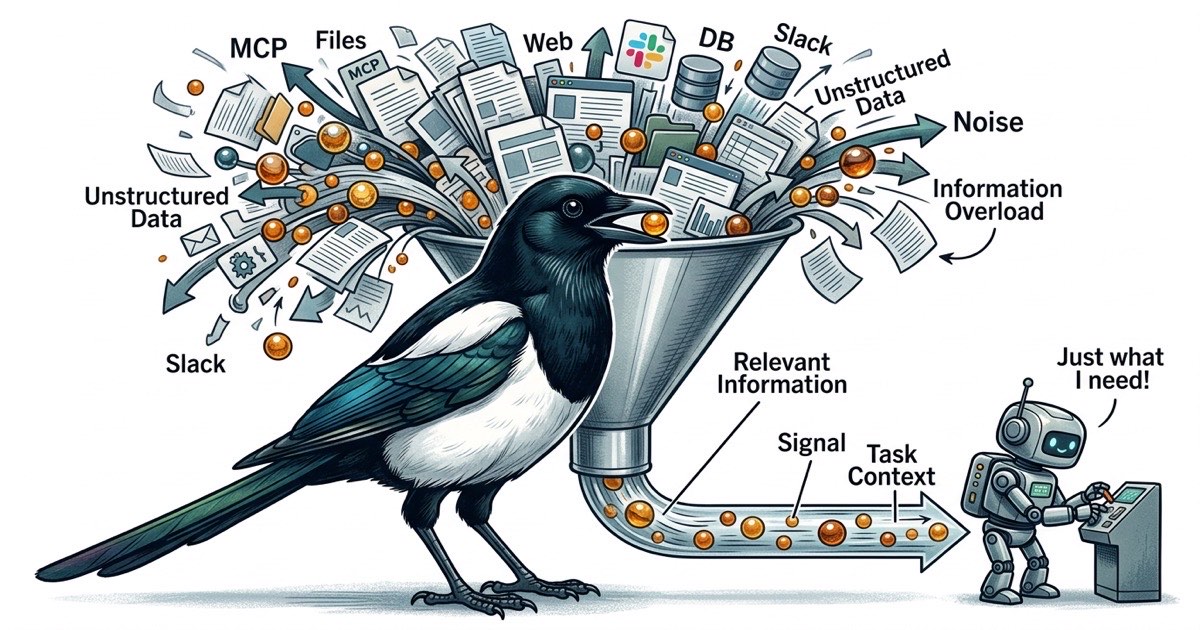
You started with one MCP server. File access, so your Claude Code agent could read and write your project. Reasonable.
Then you added web search. Then GitHub. Then a database tool so the agent could query your schema directly. Then Slack, because the agent needed to check a thread for requirements. Then a docs tool for your internal wiki.
Six MCP servers. Each one registers tool schemas in the agent's context. Each one widens the surface area of what the agent could do, which means more tokens spent on tool descriptions and more opportunities for the agent to wander off-task.
Your agent still writes good code. But it writes it slower, and the output has gotten less predictable. You're not imagining it. The context window is the bottleneck, and you're filling it with plumbing.
The accumulation problem
MCP servers are powerful. The Model Context Protocol gives Claude Code access to external systems, and each integration genuinely solves a problem. File access lets the agent read your codebase. Web search lets it look up documentation. GitHub integration lets it check PR status.
The trouble starts when you solve every agent need by adding another MCP.
Agent needs to check the database schema? Add a Postgres MCP. Agent needs to read a Confluence page? Add a Confluence MCP. Agent needs to post a Slack message? Add a Slack MCP. Each one is individually justified. Collectively, they create a problem that's hard to notice until output quality drops.
Every MCP server registers its tools in the conversation context. A file access MCP might register 5-10 tools. A database MCP registers another handful. A GitHub MCP adds more. By the time you have six MCP servers, the agent is carrying dozens of tool definitions in its context window before it reads a single line of your code.
Those tool definitions aren't free. They consume tokens. And more importantly, they compete for the agent's attention. When an agent has 40 available tools, every decision point becomes a branching question: should I use the file tool, the search tool, the database tool, or the GitHub tool? The agent spends cognitive budget deciding how to get information instead of using information to solve your problem.
Context is finite. Attention is scarcer.
Claude Code's context window is large. That creates a dangerous illusion: that you can keep adding information without consequence.
In practice, agent performance degrades well before the context window fills up. The issue isn't capacity. It's signal-to-noise ratio. An agent with a 200K token context window performs better with 50K tokens of focused, relevant information than with 150K tokens where the relevant bits are scattered across tool schemas, API responses, and tangential file contents.
This is the same problem humans face with too many browser tabs. The information is technically available. Finding it takes longer than it should. You end up re-reading things you already saw because the relevant context got pushed out of working memory by noise.
For agents, this manifests as:
Rabbit holes. The agent has a database tool, so it queries the schema. The schema is interesting, so it queries some data. The data reveals something unexpected, so it investigates further. Twenty minutes later, you have a thorough analysis of your database contents and zero progress on the feature you asked for.
Tool confusion. With many tools available, the agent occasionally picks the wrong one. It uses the web search tool to find documentation that's already in a local file. It queries the database when the answer is in the task description. Each wrong tool choice wastes tokens and introduces noise.
Diluted focus. The agent's "attention" is a finite resource within each generation. When the context contains tool schemas for file access, web search, database queries, GitHub operations, Slack messages, and wiki lookups, the agent processes all of that before it processes your actual request. The task competes with the tooling for cognitive priority.
Bounded context: the alternative to tool sprawl
The reflexive response to "my agent needs information X" is to give the agent a tool that fetches X. But there's another approach: put X in the task.
This is the bounded context pattern. Instead of giving agents access to everything and hoping they find what's relevant, you give each agent a task that contains everything it needs to complete the work. The agent doesn't search for context. The context is delivered.
The difference is structural. With MCP sprawl, the agent's workflow looks like:
- Read the task
- Figure out what information is missing
- Use various tools to gather that information
- Synthesize the information
- Do the actual work
With bounded context, it looks like:
- Read the task (which contains all necessary context)
- Do the actual work
Steps 2-4 in the first workflow aren't just overhead. They're where things go wrong. The agent gathers too much information, or the wrong information, or gets distracted by interesting but irrelevant data. Every tool invocation is a potential detour.
Bounded context doesn't mean agents can't use tools. File access is still necessary for reading and writing code. But it means the informational context (what to build, why, which files, what the acceptance criteria are) lives in the task, not in a tool the agent has to query.
Structuring tasks as context containers
A task that works as a context container looks different from a typical Jira ticket or GitHub issue. It's self-contained. An agent reading it should have everything it needs to start working without querying external systems for background information.
Here's what that looks like in practice:
Title: Add rate limiting to /api/search endpoint

Description:
The /api/search endpoint currently has no rate limiting.
Add a token bucket rate limiter at 100 requests/minute per IP.

Files to modify:
- server/middleware/rate-limit.ts (create new)
- server/routes/search.ts (apply middleware)
- server/config.ts (add RATE_LIMIT_RPM env var)

Acceptance criteria:
- Requests beyond 100/min from same IP return 429
- Rate limit resets after 60 seconds
- Config value overridable via environment variable
- Existing tests still pass

Context:
- We use Express middleware pattern (see server/middleware/auth.ts for example)
- The config module uses dotenv (see server/config.ts lines 1-15)
- No Redis available; use in-memory store. This is a single-instance app.

Dependencies: None. This can run independently.
Notice what's embedded in the task. The agent knows which files to touch, what pattern to follow, what constraints exist (no Redis), and exactly what "done" looks like. It doesn't need a database MCP to check the schema. It doesn't need a wiki tool to find the middleware pattern. It doesn't need to search the codebase to understand the config approach. All of that is in the task.
Writing tasks this way takes more effort upfront. A typical ticket might say "Add rate limiting to search endpoint" and leave the agent to figure out the rest. But that figuring-out process is exactly where MCP sprawl comes from: the agent needs information, so you give it tools, and the tools eat context.