You create an epic with 15 subtasks. You assign them across a handful of agents or teammates. Two days later, someone asks: "How far along is the auth rewrite?"
You run bd show bb-r4f. That gives you the epic itself. Title, description, priority. It doesn't tell you how many children are complete. So you run bd list --parent bb-r4f. You get a flat list of IDs and titles. To see the status of each one, you pipe through jq or run bd show on each child individually. Some of those children have their own subtasks. Now you're three levels deep, reconstructing a tree in your head from terminal output.
This works when an epic has three children. It falls apart at ten. And if you're coordinating AI agents that create subtasks, file blockers, and close issues in rapid succession, the CLI output goes stale between the time you run the command and the time you finish reading it.
The problem isn't beads. The beads CLI is excellent at structured, scriptable issue management. The problem is that hierarchical progress is a visual concept, and terminals render text in rows.
What an epic tree looks like in Beadbox
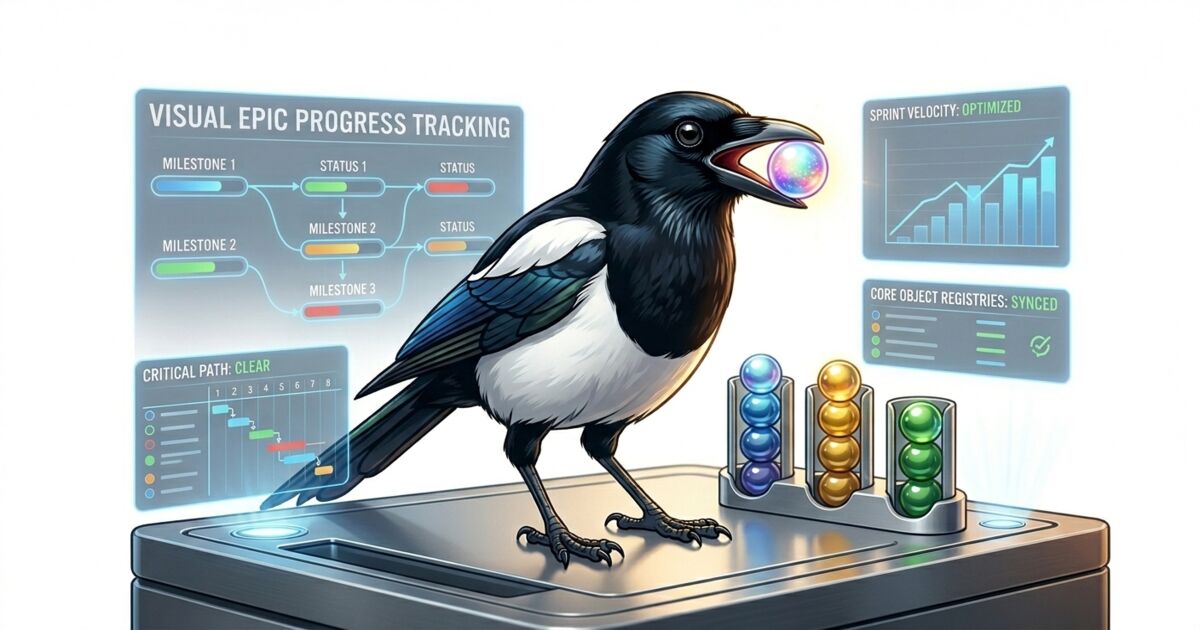
Open Beadbox, click an epic, and you see its children in a collapsible tree. Each child shows a status badge (open, in_progress, ready_for_qa, closed), a priority indicator, and the assignee. The epic itself displays a progress bar: "9 of 14 complete (64%)." That number updates as children close.
Expand a child that's itself an epic and you see its subtasks nested underneath. The parent's progress aggregates from all descendants, not just direct children. A three-level epic with 40 total issues across engineering, QA, and documentation shows you the real completion percentage at the top, accounting for every leaf node in the tree.
Blocked issues get a distinct visual treatment. If bb-m3q depends on bb-k7p and bb-k7p is still open, the blocked badge sits next to bb-m3q's status. You don't need to run bd dep list to discover the bottleneck. It's visible in the tree, at the level where it matters.
Compare this to the CLI workflow. To answer "what's blocking progress on the auth epic," you'd run:
That's a perfectly valid pipeline. It returns the right answer. But you have to write it, remember the flags, and re-run it every time you want an update. In Beadbox, the same information is always visible in the tree. No query required.
This is the problem Beadbox solves.
Real-time visibility into what your entire agent fleet is doing.
Real-time updates: the tree changes while you watch
This is where the visual model earns its keep. When an agent runs bd update bb-k7p --status=closed in a terminal, Beadbox picks up the filesystem change within milliseconds. The WebSocket server detects the write to the .beads/ directory, broadcasts the change, and the React UI re-renders.
In the epic tree, that looks like this: bb-k7p flips from an orange "in_progress" badge to a green "closed" badge. The progress bar on the parent epic ticks from 64% to 71%. And bb-m3q, which was blocked on bb-k7p, drops its blocked indicator and shows as available work.
All of that happens without you running a command or clicking a refresh button. If you're supervising a fleet of agents working through a release epic, you watch the tree fill in as tasks complete. Bottlenecks surface the moment they form because blocked badges appear in real time. Stalled subtrees (clusters of issues that stop changing status) become visually obvious after a few minutes of inactivity against a backdrop of steady progress elsewhere.
The underlying mechanism is straightforward. Beadbox runs a WebSocket server that calls fs.watch() on your .beads/ directory. Every database write triggers a broadcast. The client-side hook receives the signal and re-fetches the relevant server action. No polling interval, no manual refresh. The latency from CLI command to UI update is typically under one second.
Keyboard-first navigation
Beadbox is a desktop app for developers, and it behaves like one. j and k move through the issue list (vim-style). Enter opens the selected issue in the detail panel. / focuses the search bar. Escape closes whatever you have open. Arrow keys expand and collapse epic tree nodes.
You can triage an entire backlog without touching the mouse. Move down the list with j, open an issue to read its description, press Escape to close, move to the next. If you spot something that needs a status change, you still drop to the terminal for mutations (bd update). Beadbox is a read-heavy interface by design. The CLI handles writes. The GUI handles comprehension.
This split is intentional. A GUI that tries to replace the CLI for writes ends up building forms for every possible flag combination. A GUI that focuses on reading and navigation can optimize for the thing terminals are worst at: showing hierarchical, cross-referenced data at a glance.
Multiple projects, one window
If you work across more than one codebase, each with its own .beads/ database, Beadbox's workspace switcher handles that. A dropdown in the header lists every detected workspace. Click one (or find the workspace with / search), and the entire view reloads from that project's database. Filters and scroll position persist per workspace, so switching back doesn't lose your place.
The detection is automatic. Beadbox scans for registered workspaces in the bd configuration and for directories containing .beads/ databases. Add a new project, initialize beads in it, and the next time you open Beadbox it appears in the dropdown. No import, no configuration screen.
For developers who maintain several services, or for teams where each agent works in a separate repository, this turns Beadbox into a single pane across all active projects. The alternative is multiple terminal windows, each running bd list against a different --db path.
What this replaces
Beadbox doesn't replace the CLI. If you script your workflows, pipe bd list through jq, or have agents that create and close issues programmatically, that all continues to work unchanged. Beadbox reads the same database your scripts write to.
What it replaces is the mental overhead of reconstructing project state from flat text output. The questions that Beadbox answers at a glance, and that the CLI answers only through composed queries:
How far along is this epic, really?
What's blocked right now, and on what?
Which subtasks haven't been touched in hours?
Are agents making progress, or have they stalled?
These are visual questions. They deserve visual answers.
Getting started
Beadbox is free during the beta. Install with Homebrew:
brew tap beadbox/cask && brew install --cask beadbox
If you already use beads, Beadbox detects your .beads/ workspaces on launch. No import, no account. Open the app, expand an epic, and see where your project actually stands.
Runs on macOS, Linux, and Windows.
Try it yourself
Start with beads for the coordination layer. Add Beadbox when you need visual oversight.
Free while in beta. No account required. Works natively with Dolt.